
What is the Self-Transfer Feature?
The Self-Transfer Feature will allow you to transfer your account between two devices. (Note: This will not allow you to play the same account on multiple devices)
How do I use the Self-Transfer Feature?
You only need two things before you can use the Self-Transfer Feature:
- Original Device with Home Design Makeover (Updated to Version 1.6.4)
- New Device with Home Design Makeover (Updated to Version 1.6.4)
Step 1: Go to the Home Design Makeover Settings on both devices and tap the "Transfer Account" button.
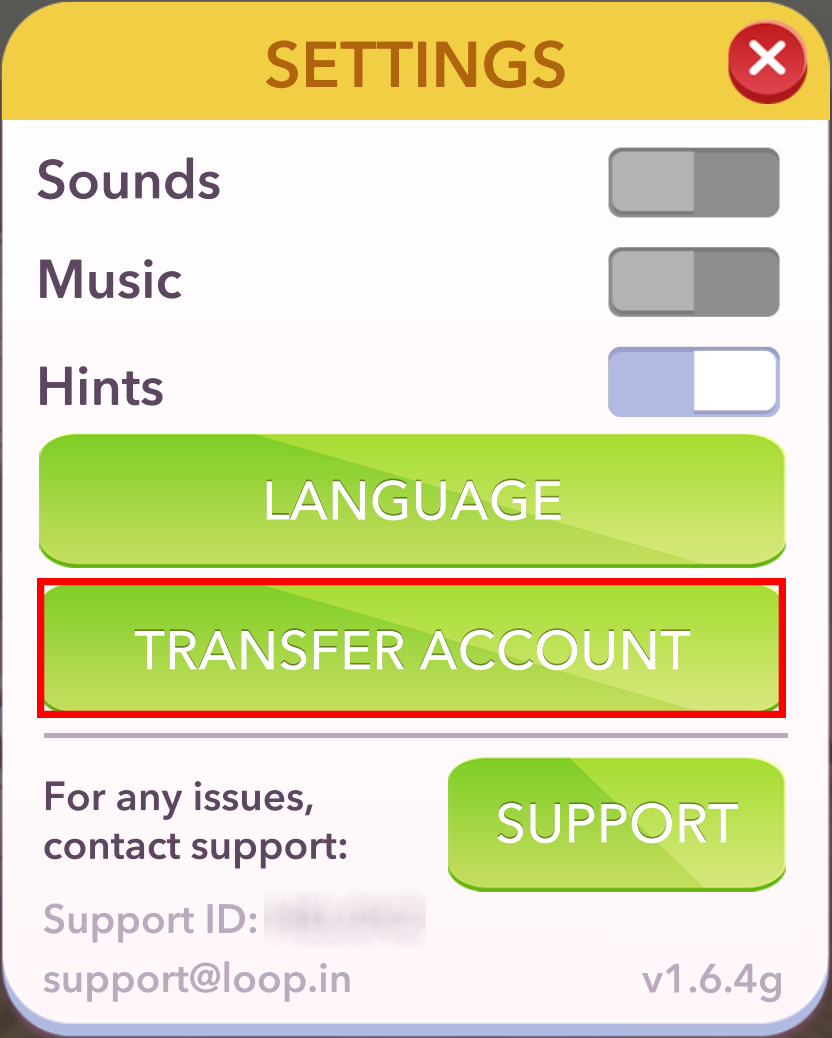
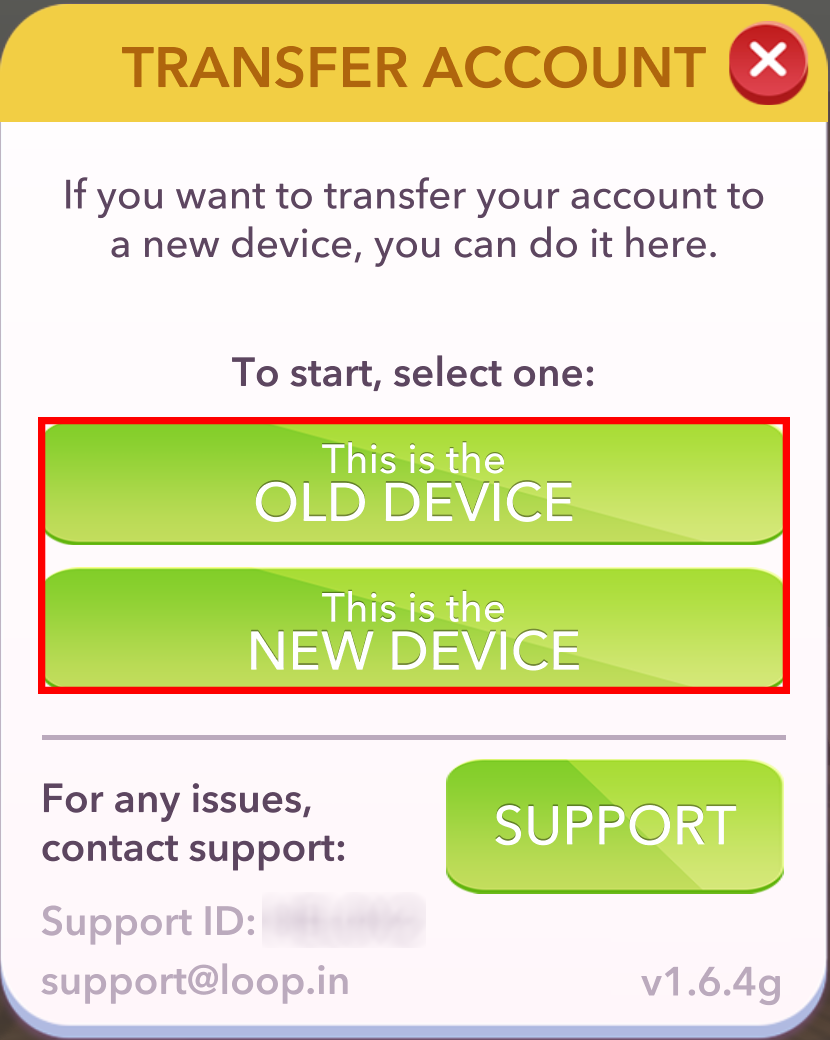
Step 2: Select the button for the device you are using.
- Old Device is your original account.
- New Device is where you want to transfer your original account to
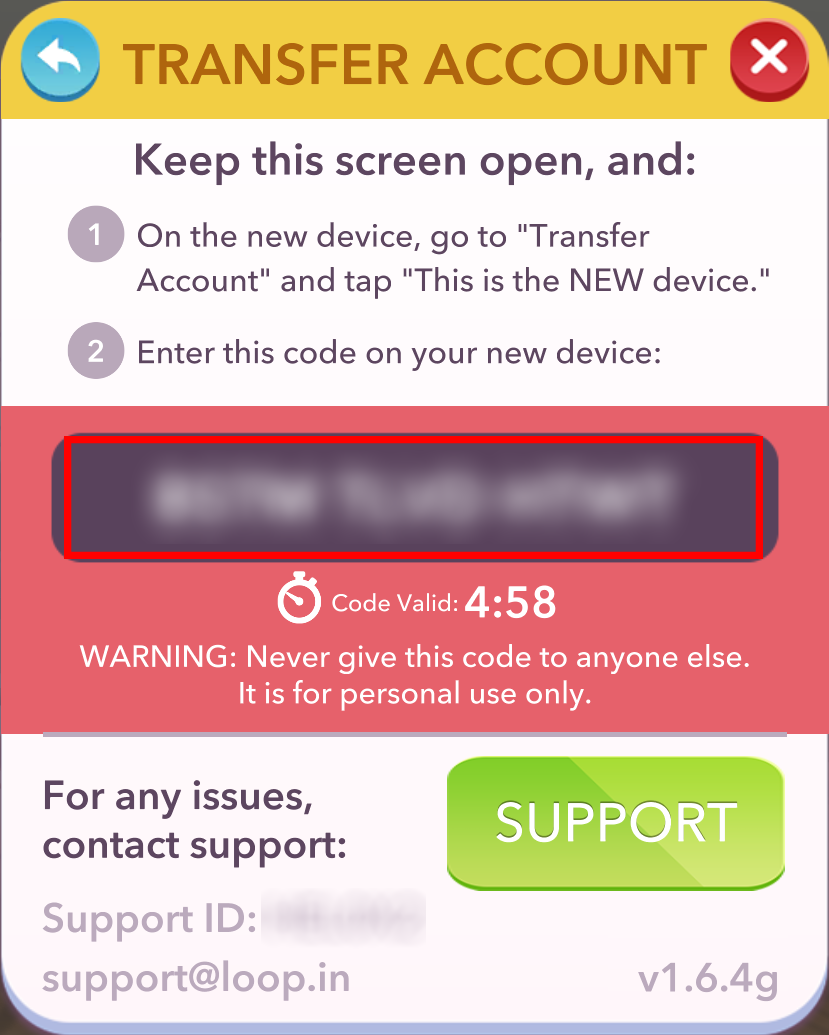
- When you tap the Old Device button a 12 letter code will be generated.
- This code will only last for 5 Minutes.
- (DO NOT GIVE THIS CODE OUT TO ANYONE ELSE. IT IS FOR PERSONAL USE ONLY.)
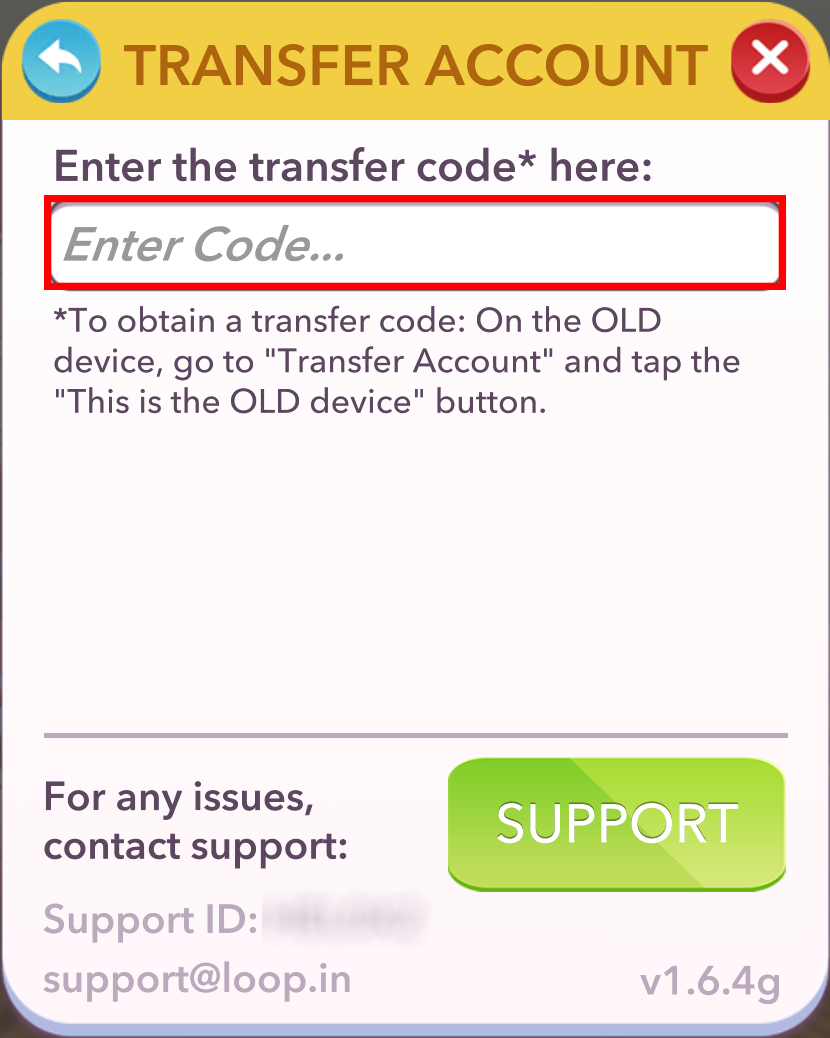
- When you tap the New Device button a field will appear where you can type the 12 letter code for the transfer.
- (The "Submit" button will appear once you have fully typed in the 12 letter code)
Step 3: Tap "Submit" and enjoy your original account on your new device!
Frequently Asked Questions:
What if I don't have the original device?
- You will need to contact the Loop Support Team in order for them to assist with your transfer.
- Make sure to have the Support ID for the new account.
- You can locate the Support button in the games settings.
What if I don't have the original account Support ID?
- You will need to provide the highest puzzle level completed and the new account Support ID when you contact the Loop Support Team.
Comments
0 comments
Article is closed for comments.